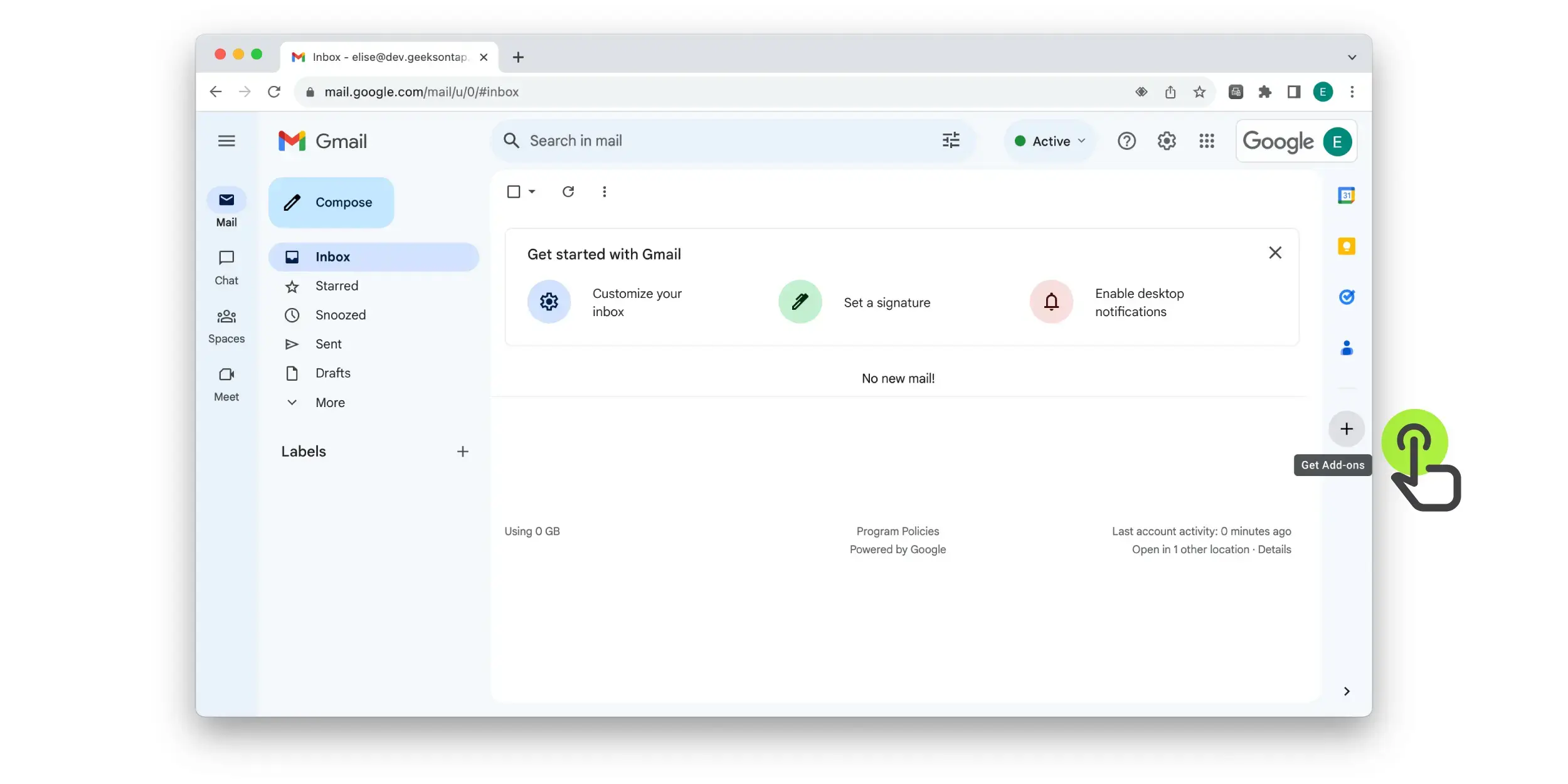
Step 1 – Click the plus icon on the right hand bar in Google Workspace
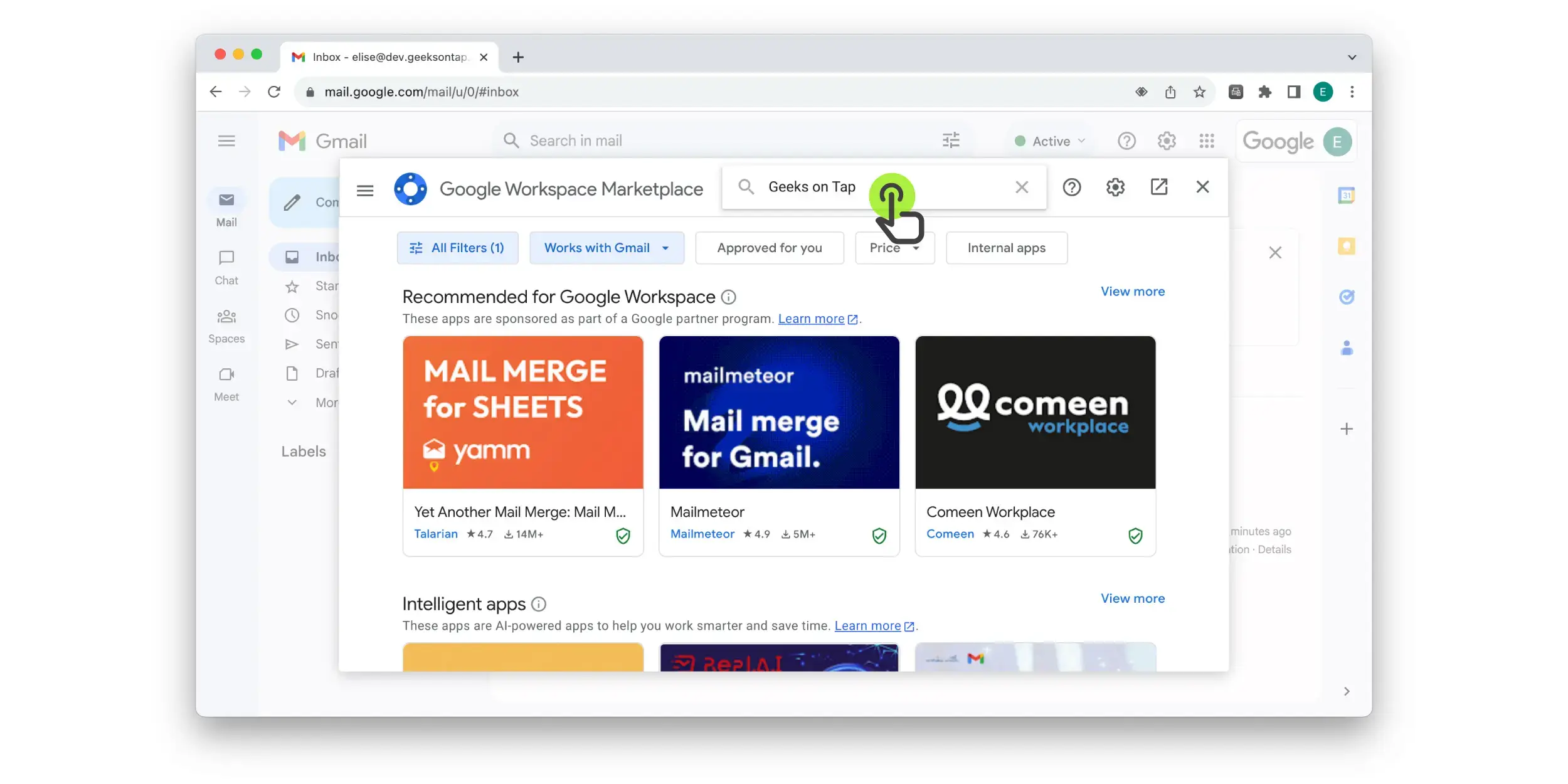
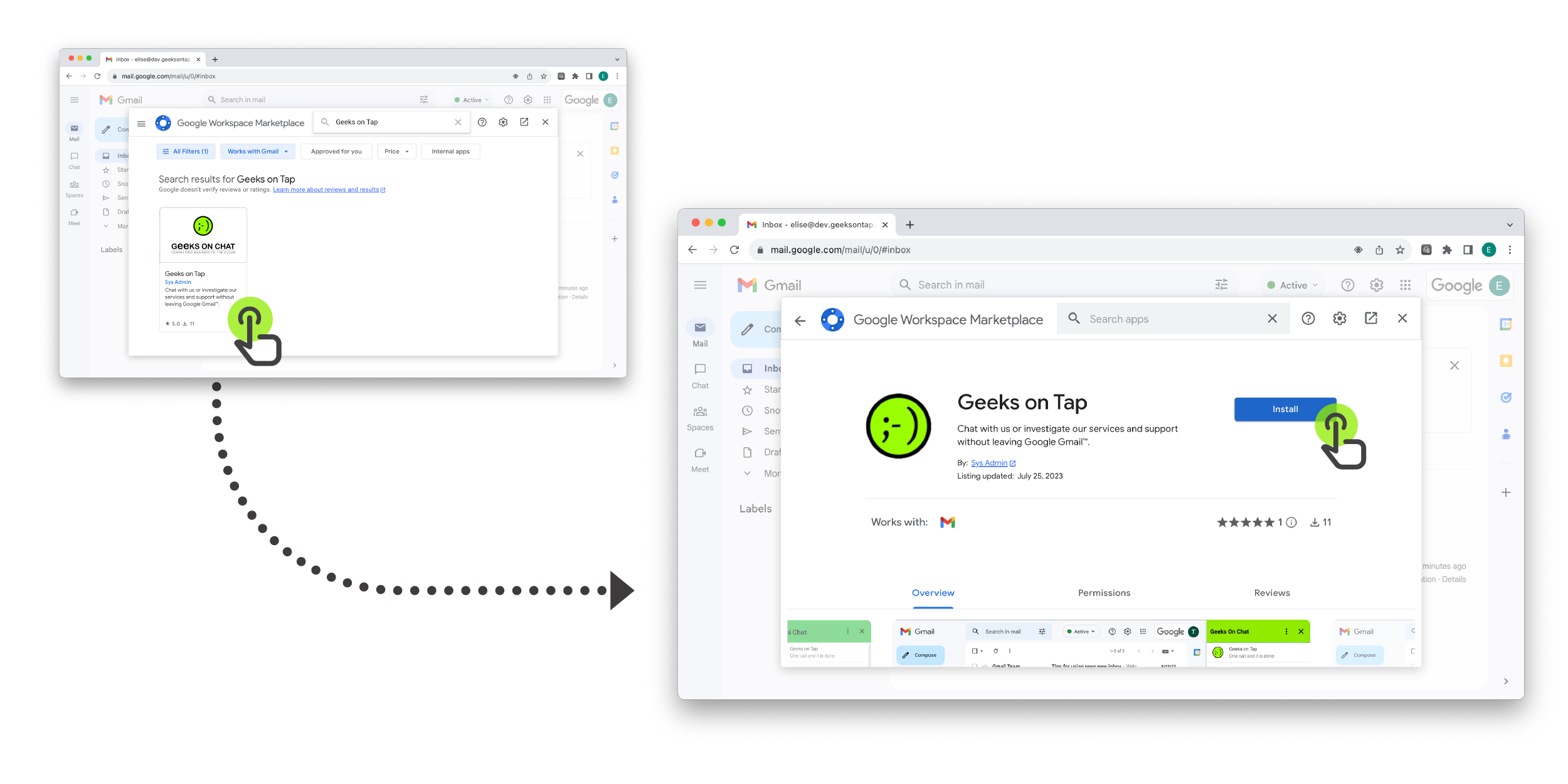
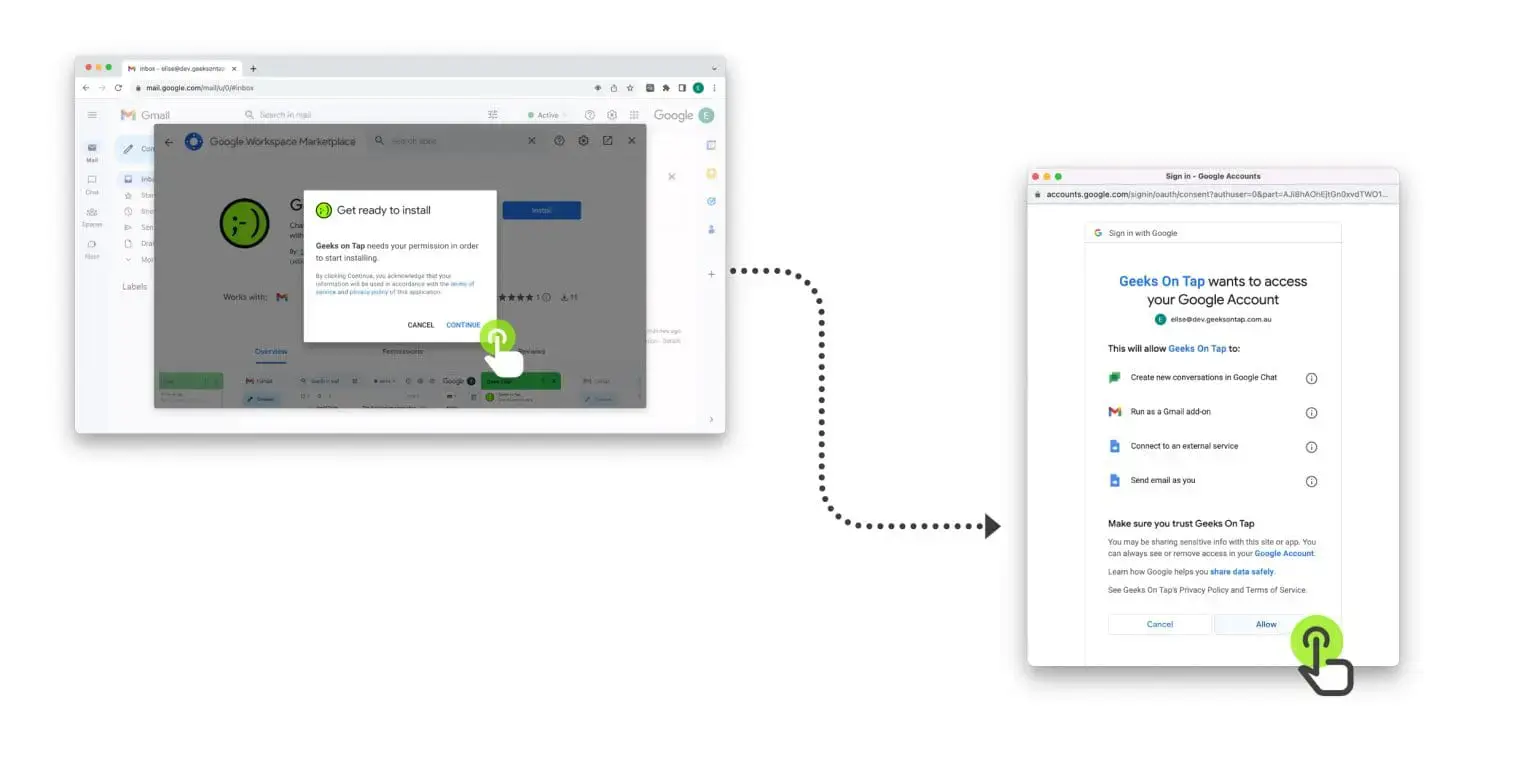
Step 3 – Click “Install” on the application with our logo.
Step 4 – You will then be prompted to allow access to your Google Account for our add in to run. Select “allow”.
Step 5 – Our logo should then appear on the right hand bar. Click on this to access the add in.
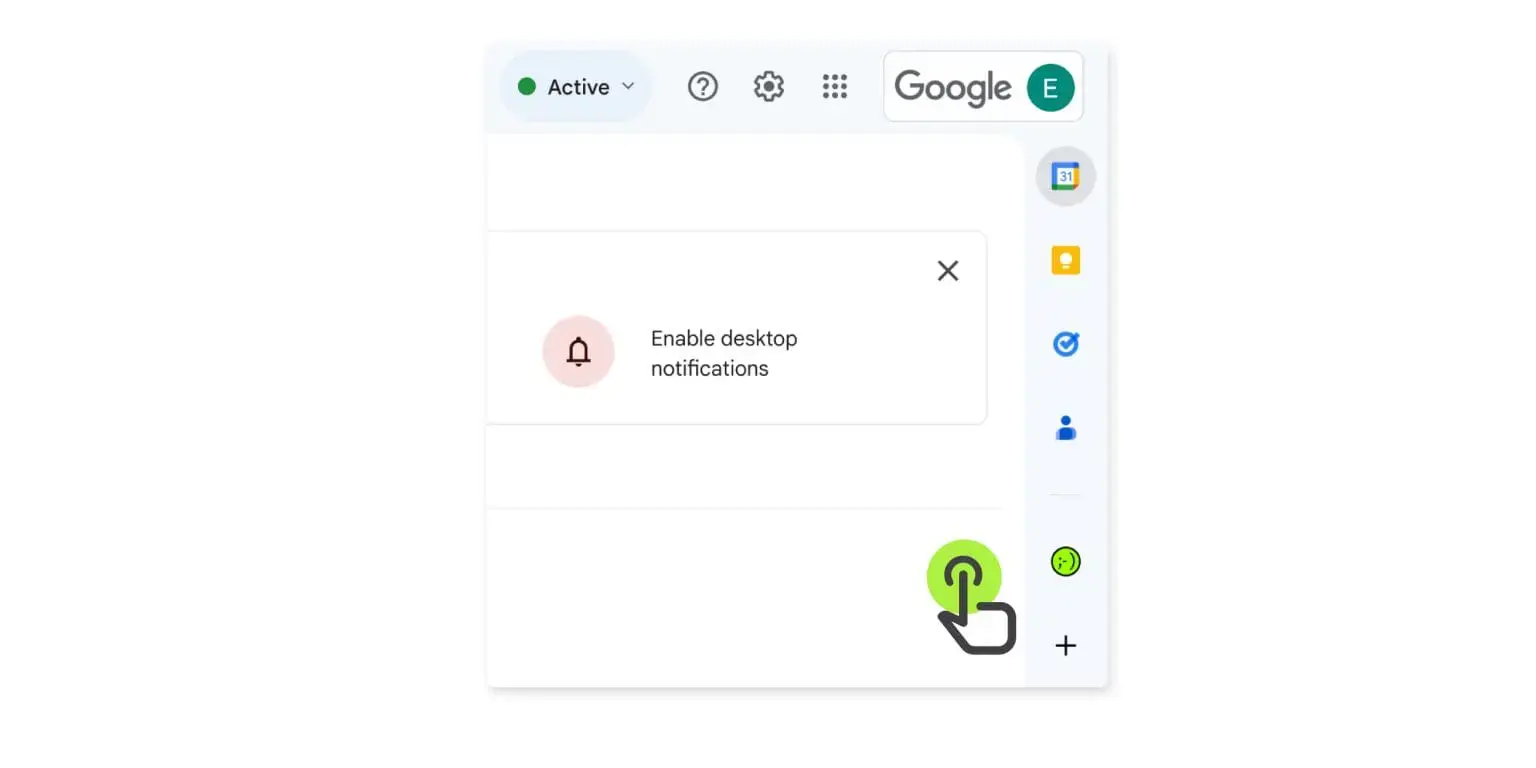
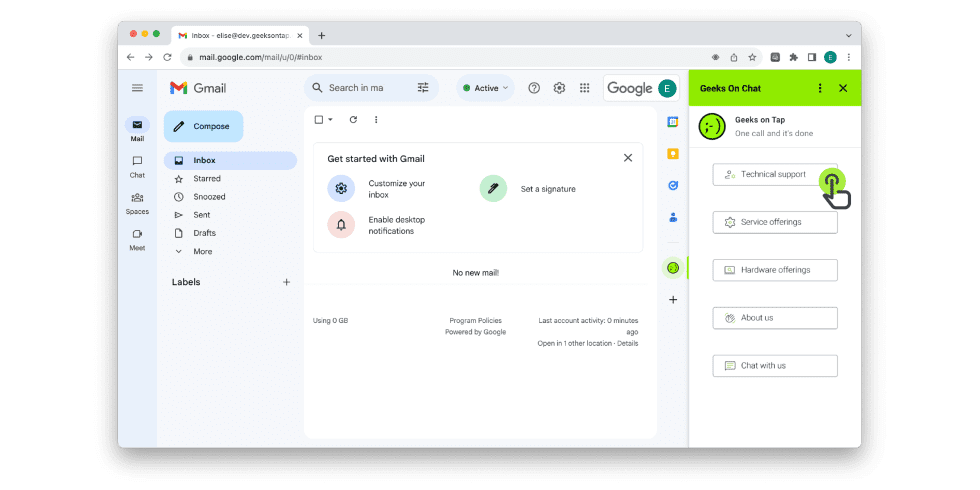
Step 6 – When a problem occurs – all you have to do is click on our logo, and select the support option you require.